Evidence-matched badges for your product pages
Give shoppers clear discount messages matched to the available evidence. Explore 22 Theme App Extension styles in this preview and add a badge with Shopify Theme Editor. Available options depend on your installed extension version.
Preview the message beside the price.
Switch evidence states and explore all 22 source-defined Theme App Extension styles. The product card updates as you edit.
These styles are defined in the Theme App Extension source. This website preview recreates their appearance; available options depend on your installed extension version.
Illustrative product card. Publish only copy supported by the product’s actual evidence. Add the real badge with Shopify Theme Editor app blocks; catalog prices stay under merchant control.
Arctic Parka Pro
Ice / Weatherproof shell
Badge preview is a CSS recreation. The price-history image is a captured storefront screen.
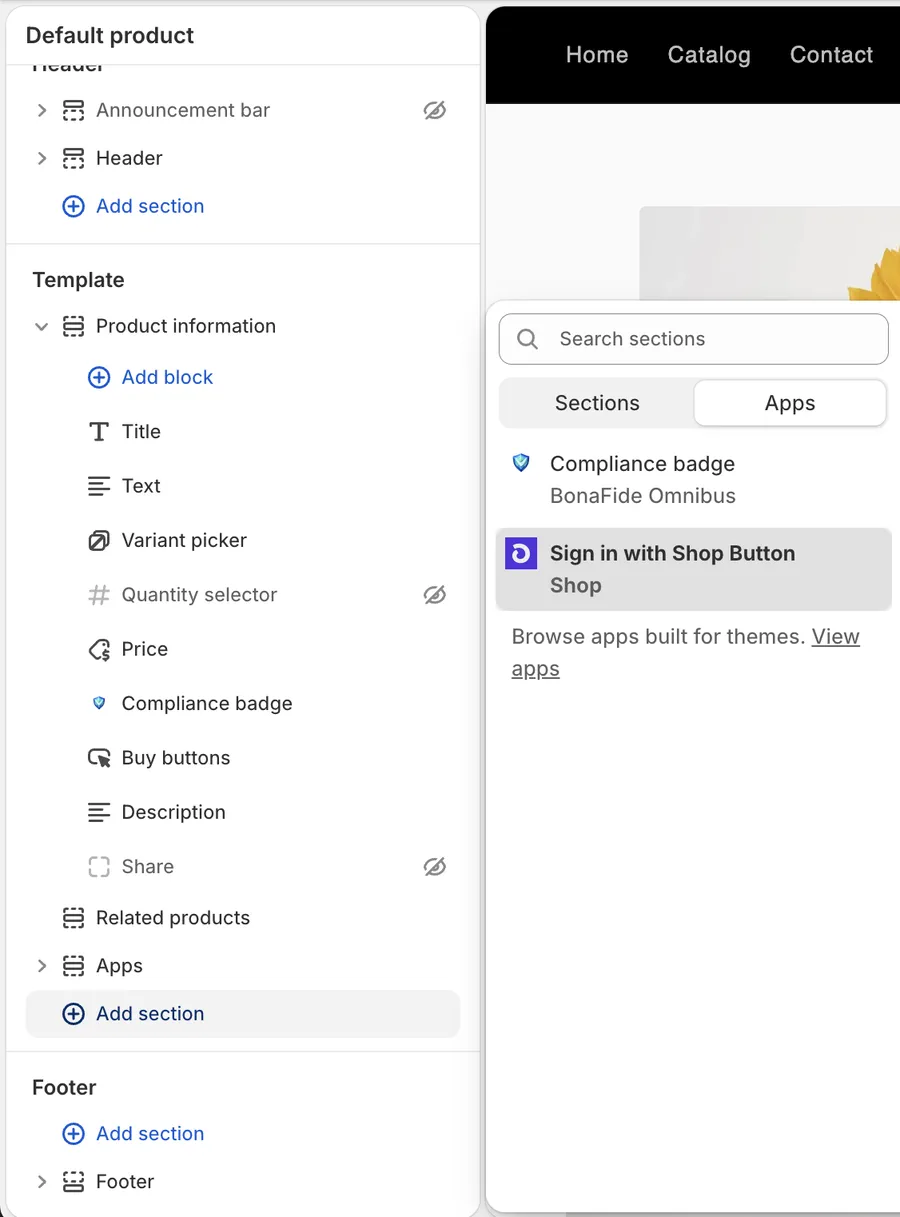
No-code Theme Editor setup
Add trust badges directly in your Shopify theme editor. No developer required.
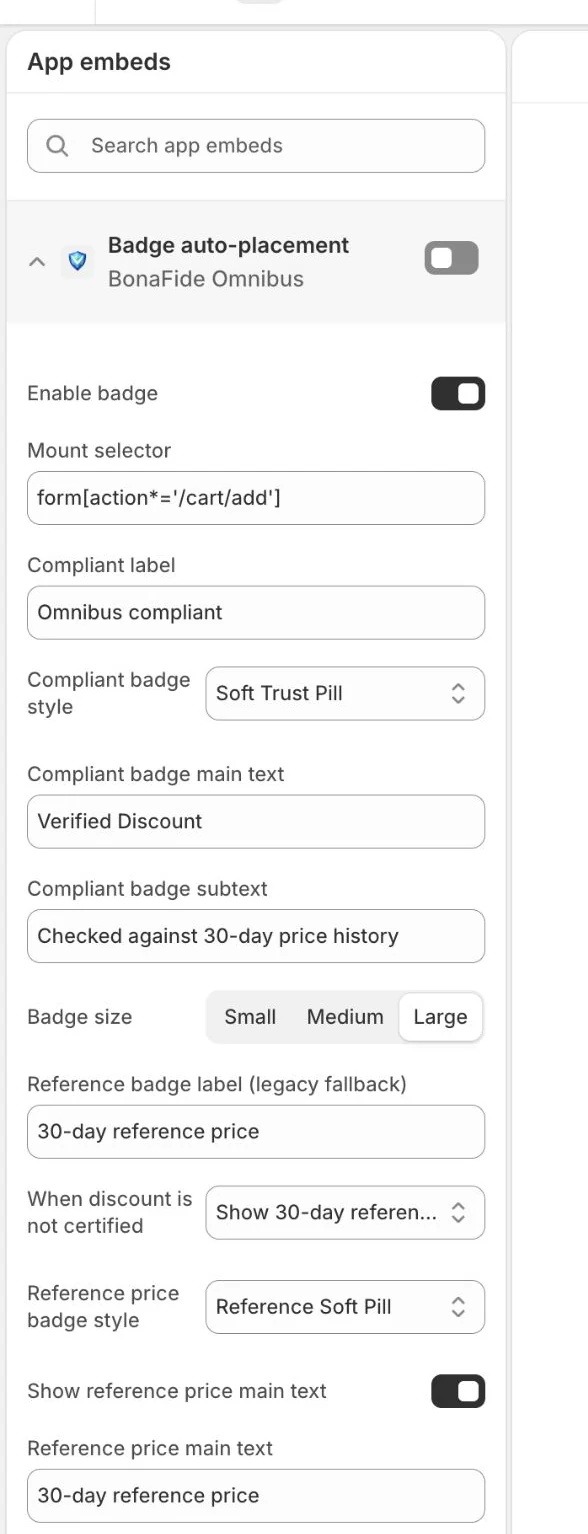
Enable BonaFide app embed
Turn on the app in your theme editor with one click.
Select your badge style
Explore 22 badge styles defined in the Theme App Extension source; check your installed version for available options.
Place on product pages
Position the badge where it works best for your layout.
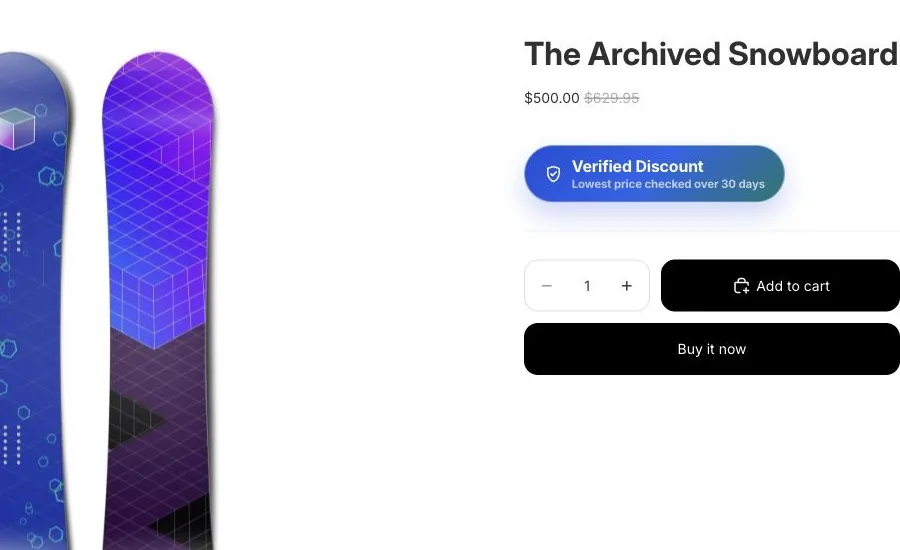
Go live instantly
Badges appear on your product pages immediately.
Make it yours
Customize badge text, subtext, size, and placement to match your brand.
Custom Text
Set truthful message copy that matches the available evidence state and your brand voice.
Custom Subtext
Edit the supporting text that appears below the main message.
Size Options
Choose small, medium, or large to fit your product page layout.
Placement Control
Position badges above or below the price, in the description, or elsewhere.
Product-page scope only
BonaFide trust badges appear on your product pages only. Currently, badges do not appear on collection pages.
We focused on product pages because that's where shoppers make the final decision — and where showing verified discount proof has the most impact.
Add trust badges to your store
No code required. Set up in minutes via Theme Editor.
View Setup Guide